Always-on-top & cover-colored
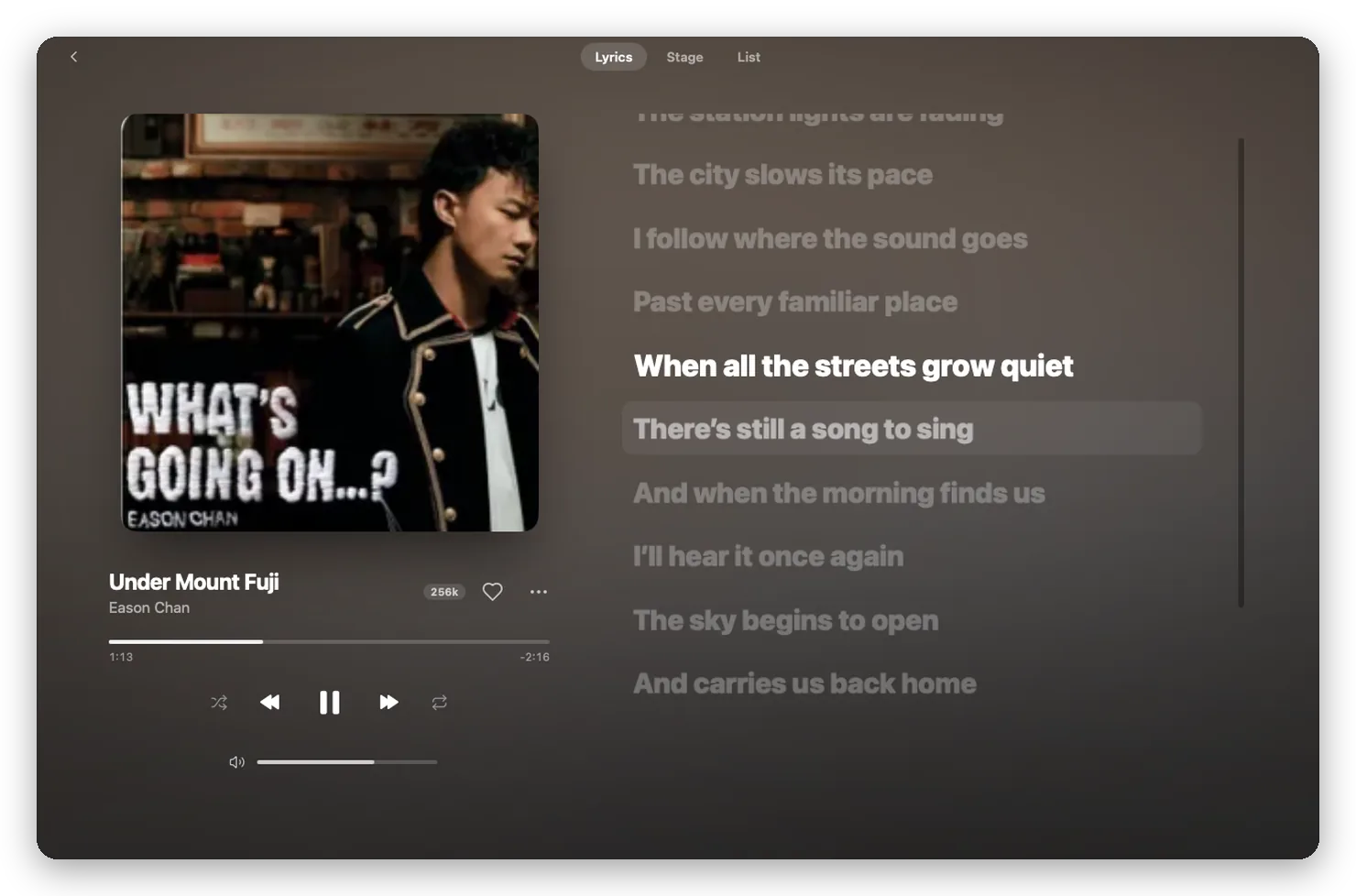
The active lyric floats cleanly above every window, lighting up in the album cover's accent color with smooth line-to-line transitions and interlude previews.
 MySpotify
 / Desktop Lyrics
DESKTOP LYRICS · MACOS & WINDOWS
The official Spotify desktop app still has no floating desktop lyrics overlay. MySpotify builds it natively into a lightweight Go client for macOS and Windows—with cover-colored highlights, click-through lock, and LRCLIB + NetEase lyrics fallback.
CAPABILITIES
The active lyric floats cleanly above every window, lighting up in the album cover's accent color with smooth line-to-line transitions and interlude previews.
Lock the overlay so mouse clicks pass right through to your editor or browser. On Windows it stays borderless and shadowless; optionally hide automatically when paused.
When Spotify has no lyrics or lacks timestamps, MySpotify queries LRCLIB and NetEase Cloud Music—strictly validating song title and duration to prevent wrong versions.
Configure the second line under Settings › Desktop lyrics to show the next lyric line or a Chinese translation whenever available, plus custom font sizes and colors.
Toggle desktop lyrics from the player bar, macOS Dock or Controls menu, Windows system tray, or a custom global keyboard shortcut from any app.
Keep synchronized lyrics visible below full-window or full-screen music videos, and press [ / ] to nudge timing by 0.5 s per song if a video has a different intro.
HOW TO USE
Play any track in MySpotify and click the Desktop lyrics button on the bottom bar (or toggle via the Dock/tray menu).
Hover over the floating bar to drag it anywhere or skip tracks. Adjust font size, colors, second-line mode, global hotkey and Hide when paused in Settings › Desktop lyrics.
Click the lock icon so the overlay never steals focus or blocks clicks. Hover over it later to reveal the unlock button.
Fallback lyric lookups send only track title, artist, album and duration to LRCLIB or NetEase—never your account credentials or listening history.
FAQ
MySpotify includes a native always-on-top desktop lyrics overlay on both macOS and Windows with no extra plugins. Click Desktop lyrics in the player bar, use the tray/Dock menu, or assign a global shortcut under Settings › Desktop lyrics.
No. Once locked, clicks pass straight through the lyrics overlay to the window underneath. On Windows, locked desktop lyrics render borderless and shadowless; hovering reveals only an unlock button. You can also enable Hide when paused.
MySpotify automatically falls back to NetEase Cloud Music and LRCLIB, preferring timed lyrics and matching both title and track duration so covers or live recordings are never mismatched.
Yes. Press [ or ] while watching a music video to shift lyrics earlier or later by 0.5 seconds at a time. The offset is saved per song.